Special Events Tag Archive

Special Events - Selection Option for SP 2021.02 and Prior Only

Special Events Stylesheet (for versions older than 2022.01 only)

This style sheet is for the new special events selection in the 2021.02 hot fix.

Please follow the instructions to install and apply to the special event web pages.

  1. Click here to download the style sheet file @SpcEvtSelection.xss.
  2. Import to Andar > eCommunity > Administration > Style Sheet, Web, JavaScript Library. Replace the existing one if prompted.


Special Events - Selection with Images 1

Special Events Event Stylesheet

This style sheet is for the special events selection.

Please follow the instructions to install and apply to the special event web pages.

  1. Click here to download the style sheet file SpcEvtSelection-Img.xss.
  2. Import to Andar > eCommunity > Administration > Style Sheet, Web, JavaScript Library.
  3. Go to Andar > eCommunity > Administration > Web Customization and add or modify the web option "Pledge Entry - Special Events" for your tailoring account or other organization by changing the Event Selection List Style to reflect the new style sheet.
  4. Open the browser, and go to the website, select "Special Event Maintenance" on the menu.
  5. Click Update icon on the left of each event to open the event detail page.
  6. Hit Select Image button and choose your own image. The image dimension should be 600px width * 800px height.

SP1Screenshot.jpg


Special Events - Selection with Images 2

Special Events Event Stylesheet

This style sheet is for the special events selection.

Please follow the instructions to install and apply to the special event web pages.

  1. Click here to download the style sheet file SpcEvtSelection-Img2.xss.
  2. Import to Andar > eCommunity > Administration > Style Sheet, Web, JavaScript Library.
  3. Go to Andar > eCommunity > Administration > Web Customization and add or modify the web option "Pledge Entry - Special Events" for your tailoring account or other organization by changing the Event Selection List Style to reflect the new style sheet.
  4. Open the browser, and go to the website, select "Special Event Maintenance" on the menu.
  5. Click Update icon on the left of each event to open the event detail page.
  6. Hit Select Image button and choose your own image. The image dimension should be 600px width * 800px height.

SP1Screenshot.jpg


Special Events - Selection with Images 3

Special Events Event Stylesheet

This style sheet is for the special events selection.

Please follow the instructions to install and apply to the special event web pages.

  1. Click here to download the style sheet file SpcEvtSelection-Img3.xss.
  2. Import to Andar > eCommunity > Administration > Style Sheet, Web, JavaScript Library.
  3. Open the browser, and go to the website, select "Special Event Maintenance" on the menu.
  4. Click Update icon on the left of each event to open the event detail page.
  5. Hit Select Image button and choose your own image. The image dimension should be 600px width * 800px height.

SP1Screenshot.jpg


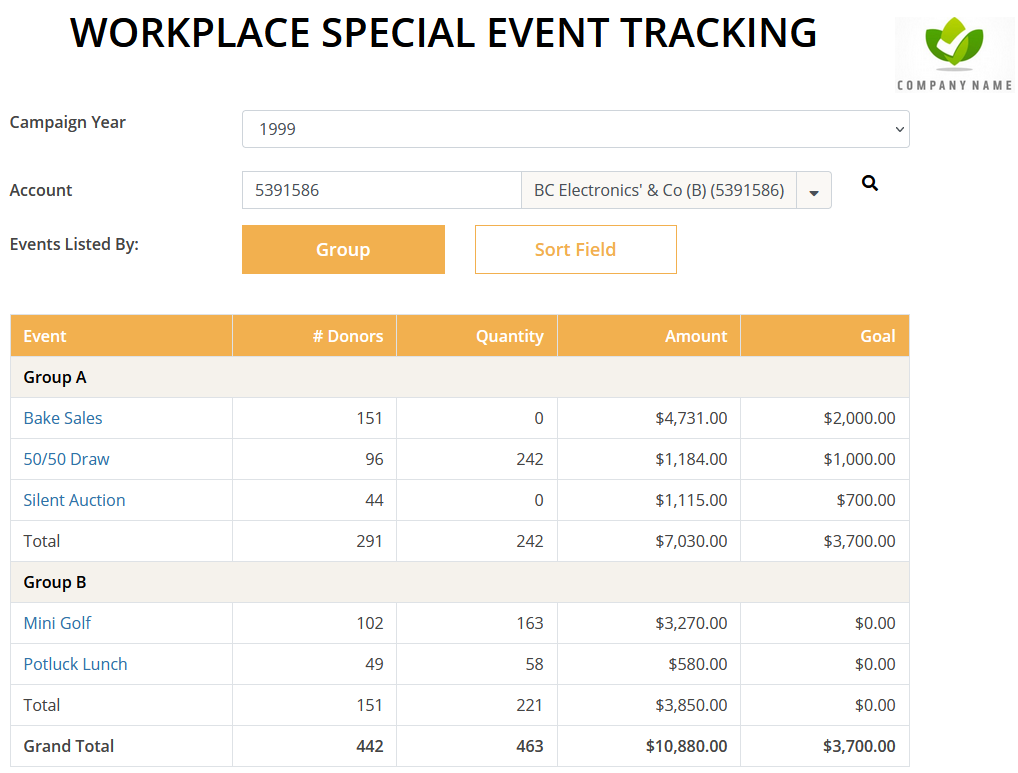
Special Events - Special Events Stylesheet for SP 2021.02 Only

Special Events Stylesheet (for versions older than 2022.01 only)

This style sheet is for the new special events web pages in the 2021.02 hot fix.

Please follow the instructions to install and apply to the special event web pages.

  1. Right click and save to download the style sheet.
  2. Import to Andar - eCommunity - Administration - Style Sheet, Web, JavaScript Library.
  3. Go to the tailoring account window - eCommunity - Customization, open the Framework web option for All.
  4. Scroll down to Main Stylesheets. Turn on "SpecialEvents"
  5. Update the web option.

When you upgrade to the service pack 2022.01, please remember to turn off the style sheet because these codes will be included in the style sheets on the web server.

special-events-screenshot.PNG