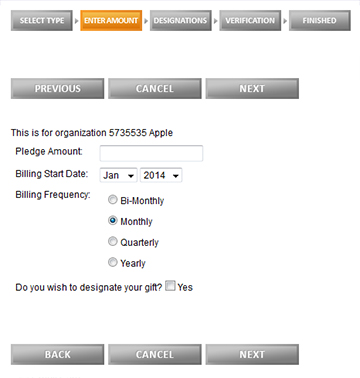
e-Pledge - Side By Side Buttons
Disclaimer: All items in this library are provided "AS IS". The customer is solely responsible for determining the suitability of these items. Helix provides NO WARRANTY whatsoever on anything downloaded from this library. Items downloaded are NOT COVERED under your maintenance agreement for Andar.
Side by Side Buttons
When you use the regular buttons, blue buttons and grey buttons, the buttons are aligned vertically in the pledge pages. You can make them aligned side by side by downloading the style sheet below. Please import it to the style sheet maintenance in eCommunity and add it to the account with web option. Option type is "Stylesheets", Option Value is "SideBySideButtons".
Right click and save to download the style sheet.